Passwords
Changing and recovering passwords
The user may request to change their password, or may forget it and ask to have it reset.
To change password, the user must have the user/password permission.
When the user requests a reset of a forgotten password, an email is sent to them with a token. It allows them to create a new password.
The validity of the password recovery token can be set by using the ibexa.system.<siteaccess>.security.token_interval_spec parameter.
By default, it's set to PT1H (one hour).
Password rules
You can customize the password policy in your project. Each password setting is customizable per user field type. You can change the password attributes or password expiration settings, and determine the rules for repeating passwords.
To access the password settings:
- In the back office, go to Content -> Content types.
- In the Content type groups table, click Users.
- Edit the User content type.
- In the Field definitions list, view the settings for User account (ibexa_user).
Tip
There can be other content types that function as users, beyond the built-in user content type.
Password attributes
In the User account (ibexa_user) Field definition, you can determine if the password must contain at least:
- One uppercase letter
- One lowercase letter
- One number
- One non-alphanumeric character
You can also set the minimum password length.
Password expiration
In the User account (ibexa_user) field definition, you can set password expiration rules, which forces users to change their passwords periodically.
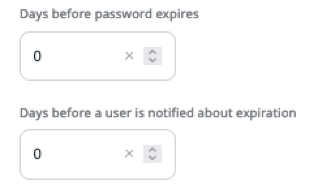
You can also decide when the user is notified that they need to change their password. The notification is displayed in the back office after login and in the user content item's preview.
Repeating passwords
You can set a rule that the password cannot be reused. You set it for the user content type in the User account (ibexa_user) field type's settings. When this is set, the user cannot type in the same password when it expires. It has to be changed to a new one.
This only checks the new password against the current one. A password that has been used before can be used again.
This rule is valid by default when password expiration is set.
Breached passwords
You can set a rule that prevents using passwords which have been exposed in a public breach. To do this, in the User account (ibexa_user) field definition, select "Password must not be contained in a public breach".
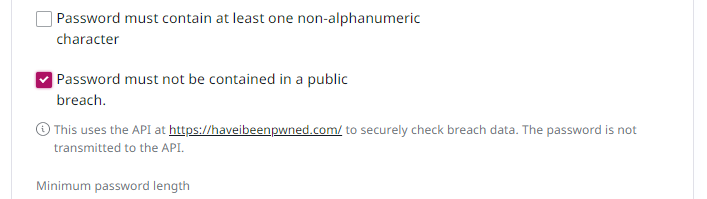
This rule checks the password against known password dumps by using the https://haveibeenpwned.com/ API. It doesn't check existing passwords, so it doesn't block login for anyone. It applies only to new passwords when users change them.
Note
The password itself isn't sent to the https://haveibeenpwned.com/ API, which makes this check secure.
For more information on how that is possible, see Validating Leaked Passwords with k-Anonymity.